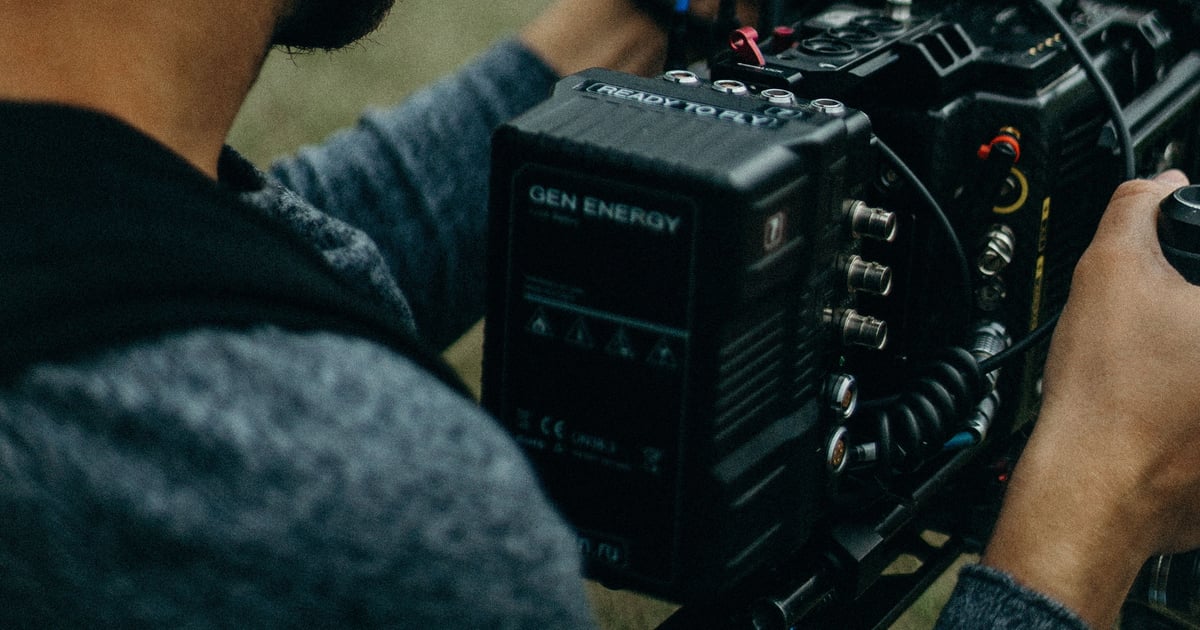
Good brand photography is a set of images that tells people who you are, what you sell and why they should trust you. Think of it as a library of 25 or so shots: you at work, your team, your products or services, your space and the small details. Shoot them once, then use them for a year on your website, email and social media. Below is what to shoot, how to plan the day and how to avoid the mistakes that make a shoot a waste of money.
We are a marketing agency in London, Ontario, and we work with businesses across many industries, not one niche. The ideas below apply whether you run a roofing company, a dental clinic, a boutique or a consulting practice.
TL;DR
- Brand photography is a collection of images that tells your brand story: people, lifestyle and product shots used across your website, email and social media.
- Plan before you book: define your story and ideal client, pick a palette and mood, build a mood board, then write a shot list that separates must-haves from nice-to-haves.
- Cover five groups: portraits, work in action, products or services, your space, and details. Add a few wide and empty-space shots so designers have room for text.
- Shoot in the formats you will actually publish: wide for website banners, tall for social feeds.
- Pricing for our photo and video work is by custom quote after we assess fit. Contact us to talk it through.
Table of Contents
- What brand photography is (and what a headshot is not)
- Plan the shoot before you pick up a camera
- Build a shot list that earns its keep
- Brand photoshoot ideas for you, the owner
- Ideas for your products or services
- Ideas for your workspace and day-to-day work
- Props, backdrops and locations that feel like your brand
- Compose and format for web and social
- Mistakes that waste a shoot
- Our perspective
- Photo and video work with Launch & Found
- FAQ
- Sources
What brand photography is (and what a headshot is not)
A headshot answers one question: what do you look like? Brand photography answers a bigger one: what is it like to do business with you?
Shopify Canada describes brand photography as a collection of professional images meant to tell a brand story, including employee headshots, lifestyle images and product shots. That is the useful way to think about it. One portrait is one asset. A brand shoot is a set of assets that work together.
The practical difference shows up on your website. A site with one stiff headshot and a few stock photos looks like every other site in your category. A site with your real crew, your real trucks, your real shop and your real finished work looks like a business that exists and is proud of what it does. That is the site that rings the phone.
The same logic applies to business branding photography for a team of 3 or 300. The scale changes. The goal does not: images that look like you, shot with a purpose.
Plan the shoot before you pick up a camera
Most bad shoots fail in planning, not on the day. The research we trust points to the same order of work: start with your brand story and your ideal clients, gather the brand assets you already have, choose a theme and colour palette, make a mood board, then write a shot list.
Here is how we would run it.
- Write the story in three sentences. Who do you help, what do you do for them, and what should a stranger feel after seeing your photos? Confident? Warm? Premium? Practical?
- Name the viewer. Photos for a homeowner choosing a contractor look different from photos for a procurement manager choosing a supplier.
- Set the look. Decide the mood, palette, texture, lighting style and emotional energy before you plan locations, outfits and props. If your logo is navy and orange, your wardrobe and backdrops should not fight it.
- Collect inspiration. Pull 10 to 15 images you like into one board. Look for what they share: light, angle, colour, distance from the subject.
- Write the shot list. More on that next.
If your business changes with the seasons, plan for that too. Seasonal planning is a habit retailers already follow, as in this seasonal merchandising playbook. A landscaper, an HVAC company or a gift shop in Ontario may want summer and winter versions of the same scenes, shot in the right month.
Build a shot list that earns its keep
A shot list is a spreadsheet, not a wish list. A good one records each image's purpose, intended placement, orientation, props and notes, and splits must-have shots from nice-to-haves. If time runs short, you drop the nice-to-haves and nothing important is lost.
Here is a simple layout:
| Shot | Purpose | Where it goes | Orientation | Props / notes |
|---|---|---|---|---|
| Owner at work, candid | Build trust | About page | Wide | Real workspace, no posing |
| Team on site | Show scale and people | Home page, ads | Wide and tall | Branded shirts, clean gear |
| Hero product or finished job | Show the result | Service page | Wide | Clear background, natural light |
| Hands and tools close-up | Show craft | Social posts | Tall | Tools you really use |
| Empty-space wide shot | Room for text | Banners, email headers | Wide | Keep one side uncluttered |
The same planning applies to any screen your customers see, including a lobby display. This list of digital signage content ideas is a good reminder that one photo set can feed several places if you plan for it.
Brand photoshoot ideas for you, the owner
People hire people. Your face is often the strongest trust signal on the page, as long as it looks natural.
- The working portrait. You at your desk, bench, counter or truck, mid-task, looking at the work rather than the lens.
- The direct portrait. One clean, confident shot facing the camera, for your About page and email signature.
- The conversation. You talking with a client, a team member or a supplier. Two people and a genuine exchange beat any posed handshake.
- The thinking shot. Reviewing plans, a laptop or a notebook. It shows expertise without a single word.
- The walking shot. Moving through your space or job site. Movement adds life, and it is easy to get right.
- The outfit change. Two or three looks in one session: your everyday work wear, something sharper for speaking or press, and your branded gear.
Keep wardrobe simple. Avoid distracting patterns, and check that clothing is free of wrinkles, stains and marks. Solid colours that sit inside your palette photograph best.
Ideas for your products or services
Products are easy to photograph. Services are harder, because there is nothing to hold. The trick is to photograph the evidence of the service.
If you sell products:
- A clean hero shot on a plain or seamless backdrop.
- The product in use, in a real setting, with a real person.
- Packaging, including the unboxing moment.
- A scale shot with a hand or familiar object.
- A group shot of the range, arranged by colour or size.
If you sell services:
- The before and after, or the finished result, shot well.
- The process in three or four frames: arrival, work, check, handover.
- The tools, devices or software you use, shown at work.
- The client moment, with their permission: a walkthrough, a signature, a handshake at the door.
- The team in uniform next to a branded vehicle.
Get written permission from any customer, employee or tenant who appears in a photo. If the shoot happens at a client's property, ask before you book, not after.
Ideas for your workspace and day-to-day work
Your space tells people how you operate. A tidy shop says you care. A well-lit studio says you are professional. You do not need a fancy space, just a prepared one.
- The exterior. Your storefront, sign, vehicle or building, shot in good light.
- The entrance and reception. The first thing a visitor sees.
- The work zone. Bench, kitchen, dispatch desk, treatment room, warehouse aisle.
- The team huddle. The morning briefing or a planning session at a whiteboard.
- The details. Tools laid out, a mug beside a laptop, a notebook with your logo, a stack of branded folders.
- The community. A local event, a sponsored team or a charity day. In a city like London, Ontario, these tie you to where you work.
Before the shoot, declutter. Clear counters, hide cables, move personal items and avoid busy patterns. It takes 20 minutes and saves hours of editing.
Props, backdrops and locations that feel like your brand
Props should look like they belong to you, not like they came from a prop house. The strongest options are products, packaging, logo stationery, tools, devices and personal accessories. If a prop is not something your customers would see you use, leave it out.
For a studio-style look, a Toronto studio suggests neutral or seamless backdrops, natural light, and textures such as wood, concrete, linen or leather. Those textures add depth without stealing attention.
How to choose a location:
| Location | Best for | Watch out for |
|---|---|---|
| Your own workspace | Authentic, ties to what you do | Clutter, mixed lighting |
| Client site or job site | Real work in action | Permissions, safety gear, weather |
| Rented studio | Controlled light, clean backdrops | Looks generic without branded props |
| Outdoors, local landmark | Local identity, lifestyle feel | Weather, crowds, harsh midday sun |
| Café or shared space | Relaxed, approachable feel | Noise, other customers in frame, permission |
If you are doing a simple set shoot yourself for a few product images, the basics are soft diffused light from a window, a reflector or white foam board, a tripod, a remote, a clean backdrop and brand-aligned props. For a full brand library with people in it, a professional is worth it.
Compose and format for web and social
Shoot with the destination in mind. A photo that is perfect for a banner can be cropped badly in a feed.
- Website hero and banners: wide, with an empty side where a headline can sit.
- Social feeds: Instagram now favours a 4:5 ratio, with 1080 x 1350 pixels as a safe default, so shoot some tall frames with the subject centred.
- Email headers: wide and simple. Busy images turn to mush on a phone.
- Ads: a clear subject, one focal point, space for a short line of text.
- Google Business Profile and directories: a mix of exterior, team and work shots.
A habit that pays off: for every key scene, shoot one wide, one medium, one close, in both horizontal and vertical. That is six frames from one setup, and you will use most of them.
Also name and organize files. "owner-working-desk-wide.jpg" helps you, your designer and your search engine more than "IMG_4821.jpg". If you want these images to help your rankings, our SEO work covers how images fit into a page.
Mistakes that waste a shoot
- No shot list. You come home with 400 photos and no idea where to use them.
- Clashing colours. Outfits and backgrounds that fight your logo palette.
- Too much stock. A real brand needs real faces. Stock is fine as a filler, but it should never be your homepage.
- Cluttered frames. Mess in the background pulls the eye from the subject.
- Only one orientation. If everything is horizontal, your social feed suffers.
- No permissions. Get releases signed before you publish.
- One-and-done thinking. Staff change, products change and seasons change. Plan a refresh each year or after any big change.
Good answer: "We shot 30 images for the website, ads and email, and we know where each one goes."
Walk-away answer: "We'll just take a bunch and see what works."
Our perspective
Most businesses we talk to treat photos as an afterthought. They fill a website with stock images, then wonder why the site never rings the phone.
We see photography as part of the marketing, not a separate job. The photos have to feed the website, the ads and the search listings, so they need a plan before anyone picks up a camera.
That is why we offer media production, including photo, video and drone, alongside advertising, website design and SEO. When the same team plans the shoot and uses the images, nothing is shot that has no home.
We work with businesses across many industries, not only realtors, and our focus is London, Ontario, with work across the surrounding Ontario service areas. Scope and pricing are tailored to each business, by custom quote after we assess fit.
Launch & Found
Photo and video work with Launch & Found
If you want a shoot planned around how your photos will be used, our media production and professional content services cover photo, video and drone work for businesses in London, Ontario and nearby communities, including Kitchener-Waterloo, St. Thomas and Burlington. See what we do on our services page.
Pricing is by custom quote after we assess whether we are a fit. Contact Launch & Found for a quote and we will talk through your goals, your audience and where the images need to work. If you also want moving images, our guide to corporate video types shows what each format does for a business.
FAQ
How many photos should a brand shoot produce?
Plan for 20 to 30 final images that cover portraits, work in action, products or services, your space and details. Quantity matters less than coverage. A shot list tells you where each image goes, so you know when you have enough.
What should I wear to a brand photoshoot?
Choose solid colours that sit inside your brand palette, and bring two or three options. Skip busy patterns and make sure everything is clean and free of wrinkles and marks. Include your branded work wear if customers see you in it.
Can I shoot brand photos with a phone?
For a few simple product or behind-the-scenes images, a phone with a tripod, window light and a clean backdrop can work. For your website hero, team portraits and ads, a professional will give you more consistent results across the whole library.
Where should I use brand photos once I have them?
Use them on your website, email headers, social posts, ads, directory listings and printed material. Match each image's orientation to its destination, and keep the originals so they can be re-cropped later.
How much does brand photography cost with Launch & Found?
Pricing is by custom quote after we assess fit, because scope depends on your business, the number of locations and what you need the images for. Contact us and we will scope it with you.
Sources
- Brand Photography: Definition, Benefits, and Tips, Shopify Canada
- 15 Must-Have Shots for Your Next Brand Photoshoot, Social Assumptions
- How to Incorporate Branding Elements Into Your Studio Setup, That Toronto Studio
- Brand Photography Guide for Finance, Legal & Accounting, Wolf Design
- Updated Instagram Post Size & Aspect Ratio Guide, SocialBee
Recommended
- Corporate Video Types: What Each One Does for Your Business
- Text Back Automation: How It Works and How to Set It Up
- Marketing Attribution: Models, Limits and How to Use It
- ROAS Benchmarks: What a Good Return Looks Like in 2026
Sources
- people, lifestyle and product shotsshopify.com
- before you plan locations, outfits and propssocialassumptions.com
- seasonal merchandising playbookindexa.now
- digital signage content ideasblog.jupiterav.ca
- free of wrinkles, stains and marksmywolfdesign.com
- products, packaging, logo stationery, tools, devices and personal accessoriesthattorontostudio.ca
- 4:5 ratio, with 1080 x 1350 pixels as a safe defaultsocialbee.com